Many website owners eventually reach a point where they consider moving their online presence. Perhaps your current website builder isn't meeting your needs, or you've found a platform that offers better features, pricing, or ease of use. The idea of migrating your entire site can feel daunting, sparking questions about how to best preserve your content, design, and SEO rankings. It's a common crossroads for businesses and individuals alike, seeking to optimize their digital home.
When it comes to moving a website built with a drag-and-drop builder, you generally face two main paths: attempting a direct transfer or undertaking a complete rebuild. While a direct transfer might sound like the simpler option, it's often not feasible or even desirable when moving between different website builder platforms due to fundamental differences in their underlying code and structure. This article will explore the situations where rebuilding your website, rather than trying to force a transfer, is not just the better choice, but often the necessary one for long-term success.
The Core Difference: Transfer vs. Rebuild
Before diving into the "when," let's clarify the distinction. A "transfer" typically implies moving a website's files and database from one hosting environment to another, often within the same content management system (CMS) like WordPress. With website builders, however, each platform has its own proprietary system, meaning you can't simply pack up your site's code from Wix and unpack it into Squarespace, or vice-versa. They speak different digital languages.
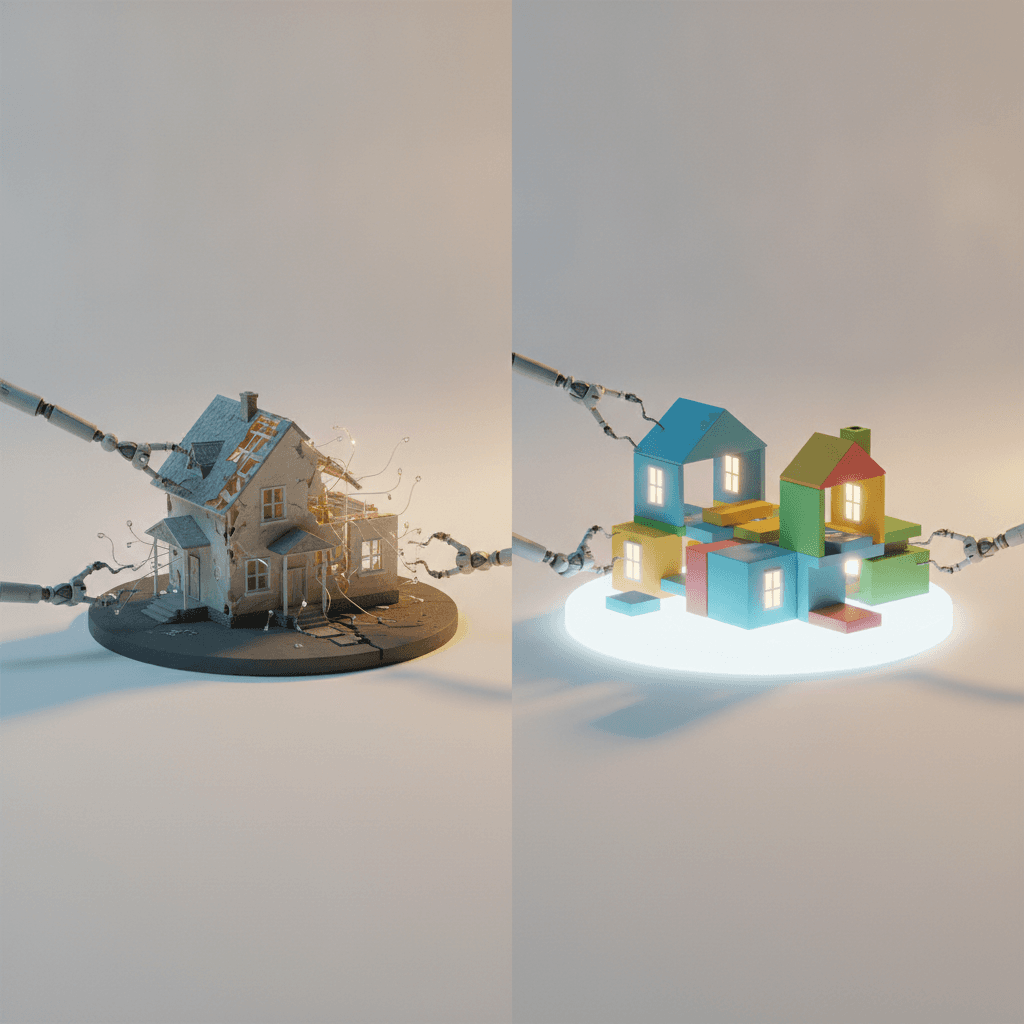
A "rebuild," on the other hand, involves manually recreating your website's content, design, and functionality on a new platform from scratch. This doesn't mean you lose everything; you'll still have all your text, images, and brand assets. It means you're effectively building a new house on a new lot, using your old house as a blueprint, rather than trying to lift your existing house and move it. This approach, while sounding more involved, often leads to a better, more robust outcome.
When Your Current Builder Is Holding You Back
The decision to migrate often stems from frustrations with your current website builder. These platforms are designed for ease of use, but sometimes that simplicity comes with limitations that become apparent as your website grows. Recognising these pain points is the first step in determining if a move, and potentially a rebuild, is necessary.
Common issues include a lack of specific features you need, difficulty integrating with essential third-party tools, slow loading speeds impacting user experience and SEO, or an inability to customize your site's design beyond predefined templates. If you constantly find yourself wishing your website could do something it simply isn't designed for on your current platform, it's a strong indicator that a change is needed.
Key Scenarios Demanding a Rebuild
There are several specific situations where attempting a direct migration is impractical or impossible, making a rebuild the only viable path forward. These scenarios often highlight the fundamental differences between website builder platforms.
- Moving Between Different Website Builder Platforms: As discussed, a site built on Wix cannot be directly transferred to Shopify, Squarespace, or Weebly. They are closed ecosystems.
- Significant Design Overhaul: If you're planning a major redesign anyway, rebuilding allows you to implement a fresh look and structure without being constrained by your old platform's limitations or existing code.
- Outdated Platform/Technology: Your current builder might be using older technology that's no longer supported, secure, or performing well, necessitating a move to a modern solution.
- Major Content Restructuring: If your website has grown organically and become disorganized, a rebuild offers the perfect opportunity to re-evaluate your content strategy, navigation, and user flow from the ground up.
- Performance Issues: If your site is consistently slow, even after optimization efforts, a new, more efficient platform and a clean build can dramatically improve loading times and overall responsiveness.
- Cost-Benefit Analysis: Sometimes, the time and effort required to hack a solution onto an unsuitable platform outweigh the benefits of starting fresh on a platform better suited to your long-term goals.
The Advantages of a Fresh Start
While a rebuild requires more initial effort, the long-term benefits often far outweigh the perceived challenges. A fresh start provides an unparalleled opportunity to address all the shortcomings of your previous setup and build a truly optimized online presence.
With a rebuild, you get a clean slate. You can choose a new, modern template or design from scratch that perfectly aligns with your brand and current goals. This also allows for improved site architecture, ensuring your website is intuitive for visitors and easily understood by search engines. You can integrate new features that weren't available before, streamline your content, and implement the latest SEO best practices from day one. This proactive approach helps avoid future migration headaches and sets your website up for sustainable growth.
The Rebuild Process: A Step-by-Step Approach
Undertaking a rebuild doesn't have to be overwhelming. By breaking it down into manageable steps, you can ensure a smooth transition and a successful launch for your new site.
First, plan thoroughly. Outline your new site's goals, features, and content structure. Gather all your existing content, images, and brand assets. Next, choose your new platform carefully, considering your needs for design, e-commerce, blogging, and scalability. Then, build your new site on the chosen platform, recreating pages, adding content, and configuring settings. Crucially, before going live, test everything rigorously – links, forms, responsiveness on different devices, and loading speeds. Finally, implement 301 redirects from your old URLs to your new ones to preserve SEO value, and then launch your new site. Throughout this process, remember to back up your old site.
Making the Right Decision for Your Website's Future
Deciding between trying to transfer or rebuilding your website builder site comes down to understanding the limitations of your current setup and the opportunities offered by a fresh start. While the idea of a rebuild might initially seem like more work, it often leads to a more robust, feature-rich, and future-proof website that truly serves your business objectives.
Consider your goals, your budget, and the time you have available. If your current platform is truly hindering your growth or if you envision a significant change in your website's functionality or design, a rebuild is likely the wisest investment. It's an opportunity to not just move your website, but to elevate it, ensuring it remains a powerful tool for your online presence for years to come.
Sources & Further Reading
- Core Web Vitals — web.dev
- Technical debt — Wikipedia
- Choosing a Content Management System — A List Apart